Is Google Photos Private? What Google, Apple, and Amazon Really Do With Your Family Photos

Bill Rebozo
Updated August 2026
Yes and no. Your Google Photos library is private in the basic sense: nobody sees your photos unless you share them, and Google says your personal data in Photos is never used for ads. The same is true of iCloud Photos and Amazon Photos. But "private" covers more than "not public." The fuller answer is that every one of these services reads your photos with software to power its features, operates under a long policy you've probably never read, and is free — or nearly free — because it's a feature of a much larger business. None of that is a scandal. It is worth understanding before you put forty years of family life in any app. Here's how to think it through, with what each company actually says.
What do Google Photos, iCloud, and Amazon Photos actually do with your photos?
They read them — that's how the magic works. Face grouping, "search your photos for beach," automatic albums and Memories: all of it depends on analyzing the content of your pictures. Each company describes it a little differently:
- Google Photos analyzes your library to power search, face groups, and its newer Gemini features. Google's Photos privacy hub is the plain-English version of what's used for what.
- iCloud Photos does its face and scene recognition on your own device rather than on Apple's servers. Apple's Photos privacy page states: "Apple does not access your photos or videos, and does not use them for research and development."
- Amazon Photos runs image recognition to tag "objects, actions, and scene-related keywords" — a feature its terms of use say "is enabled automatically when you use the Services for the first time" — and, if you turn on "Tag Specific People," you agree the service "may collect, store, and use records of individual faces." You can switch both off in settings.
Worth saying plainly: any photo service with search and face features reads your photos, including Memrico. The difference between services isn't whether the photos are analyzed — it's what the company promises to do, and never do, with what it learns.
Why are free photo apps free?
Storage, processing, and staff cost real money, and roughly 1.5 trillion photos were taken worldwide in 2022, an estimated 91% of them on smartphones (Rise Above Research estimate) — somebody is paying to keep all that. When the app is free, the business is somewhere else, and each of the big three has a different somewhere:
- Google Photos is part of a company whose business is built mostly on advertising and on knowing its users well. Photos itself isn't used for ads — Google says so — but the free tier is a door into an account, and the subscription starts when you outgrow 15 GB.
- iCloud Photos exists to make iPhones, iPads, and Macs better and harder to leave. The free 5 GB fills fast, the storage plan follows, and a family library that lives in iCloud is a family that keeps buying Apple devices.
- Amazon Photos is a Prime benefit. It makes the subscription stickier and puts your photos on the Echo Show and Fire TV in your living room — devices Amazon would like you to own more of.
Again — not sinister, just worth naming. In a free product, your photos are part of someone else's business. In a paid one, they're the product you're buying.
Do photo apps use your photos to train AI?
This is the newer worry, and it deserves a precise answer rather than a scary one. Photos posted publicly have been used by several companies to train AI systems. Photos stored privately sit under each service's own policy — and the three big ones say noticeably different things:
- Apple: the clearest no. Recognition runs on your device, and Apple states it "does not use them for research and development."
- Google: a careful no. Google's stated position is that it doesn't "train any generative AI models outside of Google Photos" with your Photos data — read the italics; models inside Photos are a different matter — and that if you connect Photos to other Google services, Google "may train on things like summaries, inferences, and generated media that are based on the contents of your Photos library."
- Amazon: the terms don't say. What they do say is that Amazon may use your files "to provide the Services to you, enforce the terms of the Agreement, and improve our services, and you give us all permissions we need to do so" — with image recognition switched on by default. Whether "improve our services" includes training its recognition technology is a question the terms leave open.
How Memrico handles it. Memrico doesn't build face-recognition models. Rico, your family's AI, uses recognition technology built and continually improved by one of the world's largest technology companies — the same kind of engine the big apps run on — and we have opted out of letting our members' photos be used to improve it. You get the benefit of models trained on the wider world; your family's photos are never the training material, for us or for anyone we work with. That's written into our privacy policy, not just this post.
Can family members choose for themselves?
Here's the question that matters most in a shared album, and the one none of the big three answers well: when Grandma adds her photos, does she get to decide whether the faces in them are recognized? With Google, Apple, and Amazon, the answer is no — the choice sits somewhere else:
- Amazon Photos: in a Family Vault, the terms say "only you" — the person who created the Vault — "will control whether Tagging Features are enabled," and if they're on, "image analysis will be performed on all of the photos and videos stored by members." Invitees are told plainly that "the user who invited you will control" it.
- Google Photos: face grouping is a setting on each viewer's account, and Google's help page notes that "face groups aren't shared when you share photos." Read from the other side: once a relative saves your shared photo, their account's face grouping runs on it under their setting, not yours. There's no per-album choice and no per-uploader choice.
- iCloud Shared Photo Library: every participant's device runs its own people recognition across the whole shared library — participants use everything in it, in Apple's words, "as if the items were located in their own libraries." It happens on-device and Apple never sees it, which is genuinely good — but nothing you do stops another member's phone from recognizing the faces in what you added.
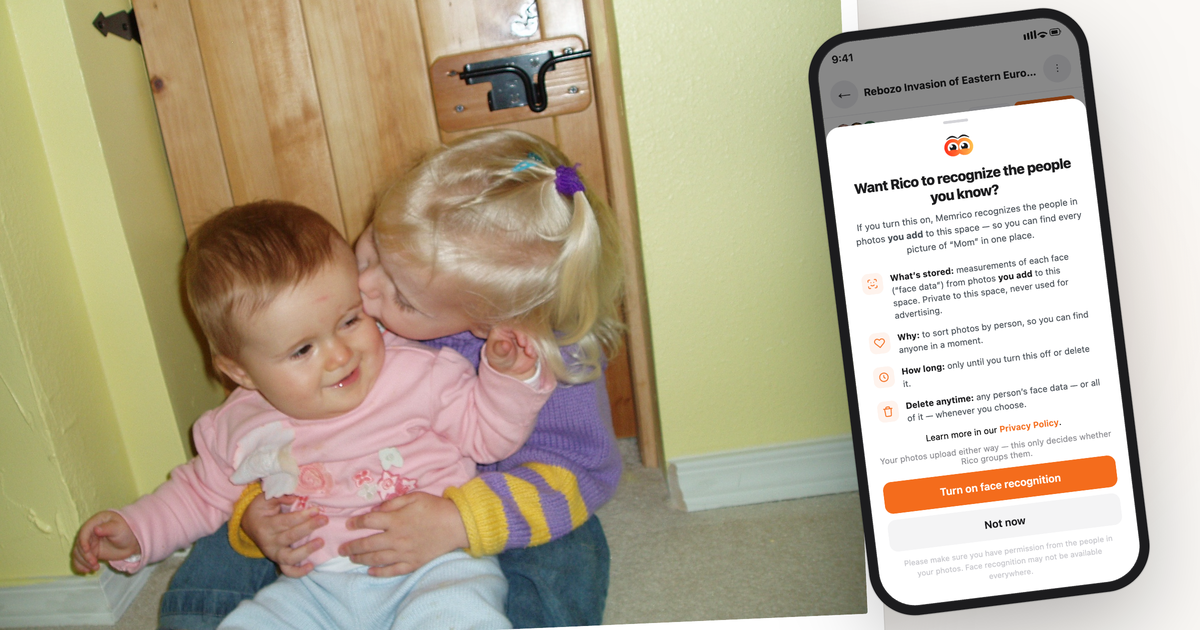
On Memrico, the person who adds the photos decides. Face recognition is off until you say otherwise. The first time you add photos to a family space, Rico asks — plainly, with what's stored, why, and for how long — and your answer covers your photos in that space. Say no, and your photos go in untouched. Say yes and change your mind later, and the face data from your photos is deleted, not just hidden. Every member gets the same choice, in every space. As far as we can find, no other family photo service offers that.
So are your photos safe in a big cloud service?
Physically? Yes — these are some of the most reliable computer systems ever built, and losing your photos to a hardware failure at Google, Apple, or Amazon is about the least likely fate they face. Families feel the uncertainty anyway: 82% of families aren't confident all their photos and videos are on the cloud, and 83% worry about losing them (EverPresent). The anxiety isn't really about hardware. It's about control: whose rules, whose business model, what happens to the collection you spent years building if the terms shift or the account is lost.
What's the difference between "private" and "secret"?
Two honest categories of photo service exist, and it helps to know which you're choosing:
- Secret (zero-knowledge): services that encrypt your photos so that even the company can't look. Maximum secrecy — and, necessarily, no face recognition, no "kids at the beach" search, no help organizing. The service can't see the photos, so it can't help with them.
- Private: services that can read your photos in order to help you — search, organization, faces — and put in writing what they will never do with them. The value comes because the software reads your photos; the trust comes from the promises around it.
Memrico is in the second category, on purpose, and says so out loud. Rico reads your photos to organize decades of them in minutes and find the one you're looking for — because you invited it in, not because you're the product.
What should a photo service promise you?
Here is Memrico's promise, in full — and it's a fair checklist to hold any service against:
Your memories are yours alone.
- We never sell your data — not your photos, not your memories, not your family's information. To anyone. Ever.
- We never advertise to you — Memrico is paid, not ad-supported. Your memories are the point, not the product. No ad targeting, no scrolling past ads to see your family.
- We never use your photos to train AI — Rico reads them to help you organize, find, and relive them. Never to train models, never to profile you.
Invite-only. Only the people you invite can see your memories. Memrico is a private family space — not a social feed, no public, no algorithm handing your photos to strangers.
Ask your current photo service the same three questions. If the answers are easy to find and plainly worded, that's a good sign — whoever you choose.
Frequently asked questions
Can other people see my Google Photos?
Not unless you share them. Your library is private to your account by default; sharing happens through albums and links you create. Be aware that anyone holding a shared-album link (if link sharing is on) can view that album, and collaborators you invite get equal powers in it.
Does Google Photos use my photos for ads?
Google says no: "Your personal data in Photos is never used for ads." The broader point stands for any free service — policies are long, they evolve, and the business model is the thing to understand. Read the current policy rather than a blog post's summary, including this one.
Does Apple use my iCloud photos to train its AI?
Apple says no, and its design backs it up: face and scene recognition happen on your device, and Apple states it "does not access your photos or videos, and does not use them for research and development." The trade-off is the one iCloud always has — it works beautifully inside Apple's world and awkwardly outside it.
Does Amazon Photos scan my photos?
Yes, by default. Its terms describe image recognition that tags photos automatically from first use, plus an optional people-tagging feature that stores "records of individual faces." Both can be turned off in your Amazon Photos settings. The terms also grant Amazon permission to use your files to "improve our services" — the phrase to ask about if training matters to you.
Can I stop a shared album from recognizing the faces in my photos?
Not on Google Photos, iCloud, or Amazon Photos — recognition is controlled by each viewer's account, each participant's device, or the Vault's owner, never by the person who added the photo. On Memrico, yes: it's your choice for your photos in each space, you can change it, and turning it off deletes the face data from your photos.
What's the most private way to store family photos?
If you want no one — including the provider — able to see them: a zero-knowledge encrypted service, accepting that it can't help you organize or search. If you want help and privacy: a paid, invite-only service with written commitments about selling, advertising, and AI training. That's the lane Memrico is built in.
Is Memrico end-to-end encrypted?
No — and we won't pretend otherwise. Memrico is private, not secret: Rico has to be able to read your photos to organize and find them, which is the product's whole value. What protects you is the invite-only design and the written promise above: never sold, never used for ads, never used to train AI.
A private home for your family's memories, with the promise in writing. Sign up for the Memrico beta.