What Happens to Your Photos When You Die? A Digital Legacy Guide

Bill Rebozo
Published October 2026
When my father passed away, his photos came to me the old way: boxes. Prints, slides, a drawer of discs — things you can hold, hand over, and sort at the dining table. The photos on his accounts were a different story, and it's the story almost every family runs into now: the pictures exist, the person who held the password doesn't, and nobody is sure what happens next. So here is the practical guide I wish we'd had — what actually happens to photos on the big services when someone dies, and the half hour of setup that spares your own family the search.
What happens to cloud photo accounts by default?
By default, they lock. A cloud account belongs to one person, and when that person is gone, the company has no way of knowing who should be let in — so nobody is. Each of the big services has built a doorway for exactly this moment, but every doorway works better when it was set up in advance. Here's each one, in plain terms, with the official page linked so you can set it up today.
Apple: add a Legacy Contact
Apple lets you name a Legacy Contact for your Apple Account — and you can have more than one. When you set it up, Apple generates an access key; after your death, your contact needs that key plus your death certificate to request access. What they can receive includes your photos, messages, notes, files, and device backups.
The one mistake families make: the access key gets generated and then nobody knows where it is. Put it with the papers your family will actually open — wherever the will and the insurance documents live, the key goes too.
Google: set up Inactive Account Manager
Google's version is the Inactive Account Manager, and it works on a timer rather than a certificate. You choose a waiting period; if your account sits unused that long, Google checks in with you, and if there's no answer, it carries out your plan. You can select up to ten people to receive data, decide per person what they get — including, if you choose, your Google Photos library — and Google will tell them on your behalf.
Worth knowing either way: Google reserves the right to delete an account that's been inactive for at least two years. If you're the one handling a late relative's affairs, that's a gentle reason to sort the photo accounts in the first year, not someday.
Facebook: memorialization and a legacy contact
Facebook memorializes the profile of someone who has died: it becomes a place for friends and family to gather and share memories, and the photos the person shared stay visible to the audience they were shared with. A legacy contact — someone you choose in your settings today — can look after the memorialized profile; without one, a memorialized profile can't be changed at all. One caution for family archivists: what's on Facebook is usually the compressed, cropped version of a photo. Treat it as the gathering place it is, not as where the originals live.
If nothing was set up
There's still a path, just a slower one. Each company has a process for family members of someone who has died — expect to provide identification and a death certificate, sometimes court documents, and expect weeks rather than days, with no guarantee about what's released. While that runs its course, remember that the archive you can already hold is in the house: the prints, the drives, the old phones in the drawer. That collection needs no permission — organizing it, or digitizing what's still on tape and film, is something the family can start the same week, and it's often where the best pictures were all along.
The 30-minute setup that spares your family the search
- Apple: add a Legacy Contact. Put the access key with your important papers.
- Google: turn on Inactive Account Manager. Choose your people and include your photo library.
- Facebook: pick a legacy contact in your settings.
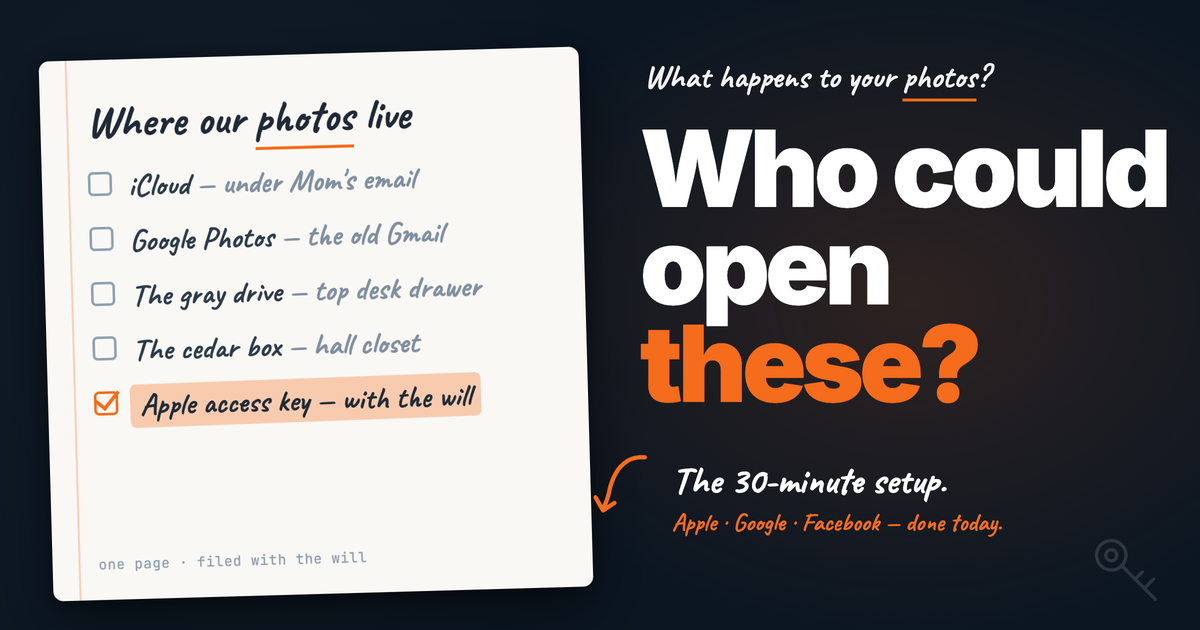
- Write the one-page note. Title it "Where our photos live." List the accounts, the drives, and the boxes — and where the Apple access key is. File it with the will.
- Keep two copies of the digital collection — one at home, one in the cloud — so no single account is ever the only holder of anything.
The best legacy plan is sharing while you're here
Everything above matters, and you should do it. But notice what it all has in common: it's machinery for opening a container after the person is gone. The warmer answer is to stop keeping the photos in a one-person container at all.
A shared family space means the photos — and the stories — are already with the people who'll want them. In Memrico, the albums belong to the family: everyone's in by invitation, everyone can add from any phone or computer, and when somebody tells the story of a picture — typed, spoken, or on video — it stays with the photo. Ask Rico, your family's AI, about a picture years from now, and the answer comes back in the teller's own words. Nothing to unlock, because it was never locked away from the family in the first place.
The photos are still here. The people who remember are still here. Now's the moment to start.
FAQ
Can I get into a parent's iCloud photos without a Legacy Contact?
It's hard. Without the access key, Apple's process generally requires a court order. If your parent is living, the kindest move is to set up Legacy Contacts together this week — it takes minutes.
Do photo accounts get deleted after someone dies?
Not immediately, but don't leave it for years: Google, for one, reserves the right to delete accounts inactive for two years or more. Handle the photo accounts in the first year.
Do Facebook photos disappear when an account is memorialized?
No — photos the person shared stay visible to the audience they were shared with. But a memorialized profile without a legacy contact can't be changed, so choose one now.
What goes in the "Where our photos live" note?
Every place photos actually are: the cloud accounts (and which email each is under), the external drives and where they're kept, the boxes of prints and tapes, and where the Apple access key is filed. One page. With the will.
Is a shared family space part of a legacy plan?
The best part, we'd argue — because it works while everyone's alive. Photos shared into a family space, with the stories attached, never need unlocking later. The legal setup above covers what stays in personal accounts.
Keep exploring
- How to Store Old Photos So They Last (Physical + Digital)
- What to Do With Boxes of Old Family Photos You Inherited
- How to Organize Decades of Family Photos (Without Quitting Halfway)
- Is Google Photos Private? What Google, Apple, and Amazon Really Do With Your Family Photos
- Best Photo Digitization Companies in 2026